The Vital Message
Book: Computer Battlegames
Author: Usborne Publishing
Translator: Marcus Medina
Story
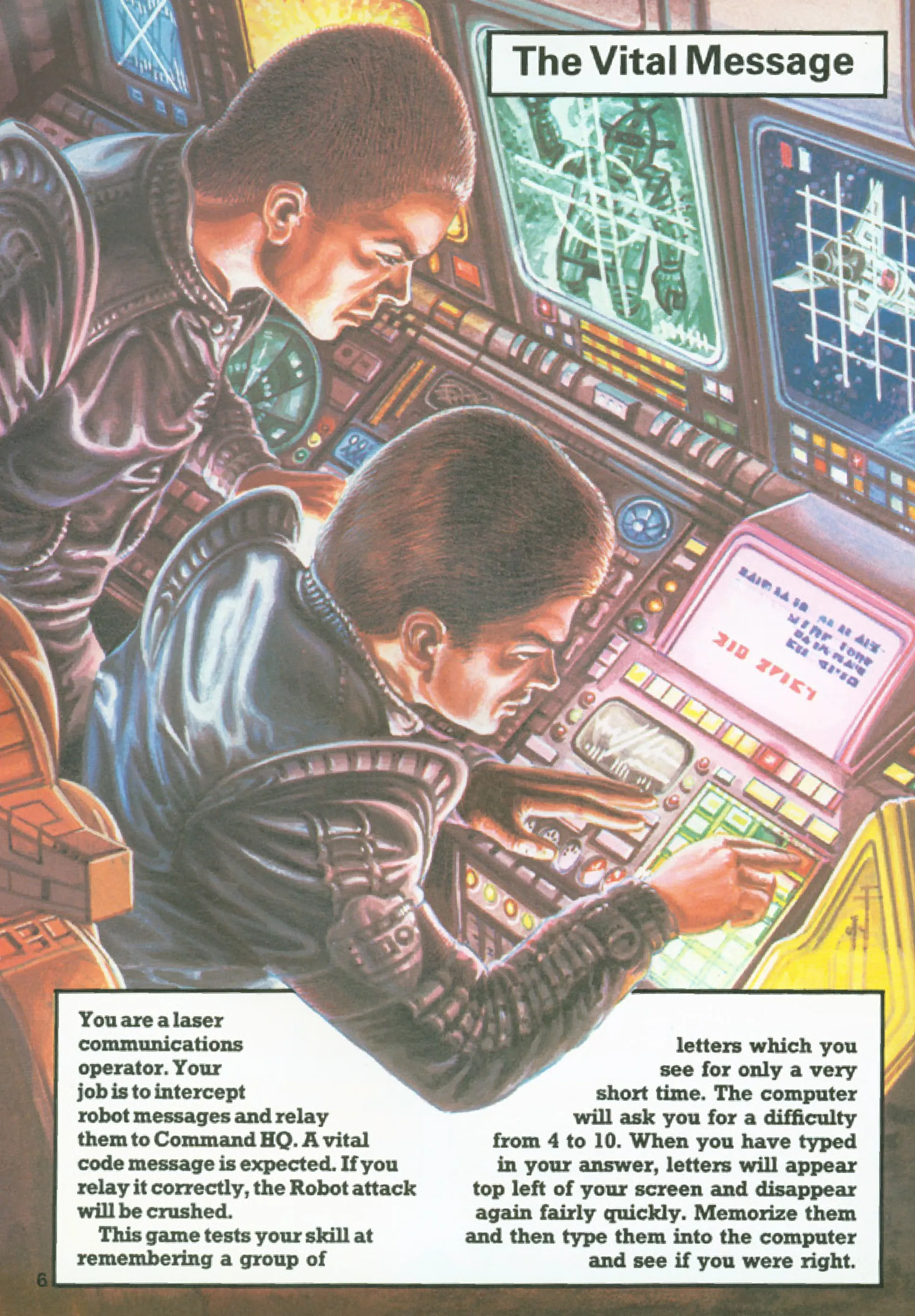
You are a laser communications operator. Your job is to intercept robot messages and relay them to Command HQ. A vital code message is expected. If you relay it correctly, the Robot attack will be crushed.
This game tests your skill at remembering a group of letters which you see for only a very short time. The computer will ask you for a difficulty from 4 to 10. When you have typed in your answer, letters will appear top left of your screen and disappear again fairly quickly. Memorize them and then type them into the computer and see if you were right.
Pseudocode
STARTClear screenDisplay game titlePrompt player for difficulty level (4-10)Validate difficulty levelGenerate random message of given lengthClear screenDisplay the generated messagePause for a few secondsClear screenPrompt player to input the messageCompare player input with the original messageIF input matches THEN Display success message End gameELSE Display failure message Show correct message End gameENDFlowchart
flowchart TD
    Start --> ClearScreen["Clear screen"]
    ClearScreen --> Title["Display game title"]
    Title --> Difficulty["Prompt player for difficulty level"]
    Difficulty --> Validate["Validate difficulty level"]
    Validate --> Generate["Generate random message"]
    Generate --> ShowMessage["Display the generated message"]
    ShowMessage --> Pause["Pause for a few seconds"]
    Pause --> ClearScreen2["Clear screen"]
    ClearScreen2 --> InputMessage["Prompt player to input the message"]
    InputMessage --> Compare["Compare input with original message"]
    Compare -->|Match| Success["Display success message"]
    Compare -->|No Match| Failure["Display failure message"]
    Success --> End["End game"]
    Failure --> ShowCorrect["Show correct message"]
    ShowCorrect --> End
Code
Pages
ZX-81 BASIC
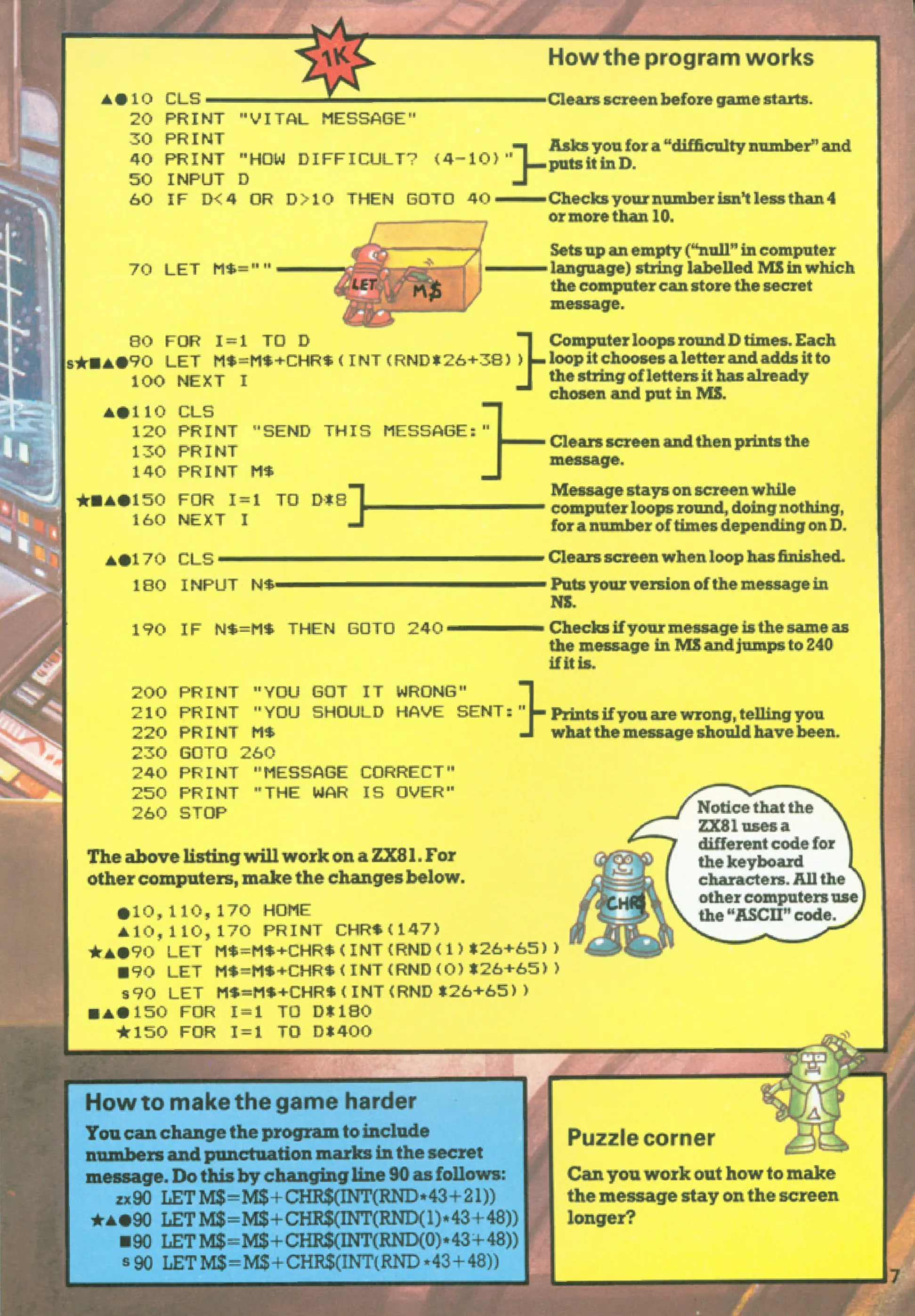
10 CLS20 PRINT "VITAL MESSAGE"30 PRINT40 PRINT "HOW DIFFICULT? (4-10)"50 INPUT D60 IF D<4 OR D>10 THEN GOTO 4070 LET M$=""80 FOR I=1 TO D90 LET M$=M$+CHR$(INT(RND*26+38))100 NEXT I110 CLS120 PRINT "SEND THIS MESSAGE:"130 PRINT140 PRINT M$150 FOR I=1 TO D*8160 NEXT I170 CLS180 INPUT N$190 IF N$=M$ THEN GOTO 240200 PRINT "YOU GOT IT WRONG"210 PRINT "YOU SHOULD HAVE SENT:"220 PRINT M$230 GOTO 260240 PRINT "MESSAGE CORRECT"250 PRINT "THE WAR IS OVER"260 STOPC#
using System;using System.Text;
class Program{    static void Main()    {        Console.Clear();        Console.WriteLine("VITAL MESSAGE");        Console.WriteLine("HOW DIFFICULT? (4-10)");
        int difficulty = 0;        while (difficulty < 4 || difficulty > 10)        {            if (!int.TryParse(Console.ReadLine(), out difficulty) || difficulty < 4 || difficulty > 10)            {                Console.WriteLine("Please enter a number between 4 and 10.");            }        }
        string message = GenerateMessage(difficulty);        Console.Clear();        Console.WriteLine("SEND THIS MESSAGE:");        Console.WriteLine();        Console.WriteLine(message);
        System.Threading.Thread.Sleep(difficulty * 1000); // Pause to simulate ZX-81 delay        Console.Clear();
        Console.WriteLine("Enter the message:");        string userInput = Console.ReadLine();
        if (userInput == message)        {            Console.WriteLine("MESSAGE CORRECT");            Console.WriteLine("THE WAR IS OVER");        }        else        {            Console.WriteLine("YOU GOT IT WRONG");            Console.WriteLine("YOU SHOULD HAVE SENT:");            Console.WriteLine(message);        }    }
    static string GenerateMessage(int length)    {        StringBuilder sb = new StringBuilder();        Random rand = new Random();        for (int i = 0; i < length; i++)        {            char letter = (char)(rand.Next(26) + 65); // Random letter A-Z            sb.Append(letter);        }        return sb.ToString();    }}
Python
import randomimport time
def main():    print("VITAL MESSAGE")    difficulty = 0    while difficulty < 4 or difficulty > 10:        try:            difficulty = int(input("HOW DIFFICULT? (4-10): "))        except ValueError:            pass
    message = generate_message(difficulty)    print("\nSEND THIS MESSAGE:\n")    print(message)    time.sleep(difficulty * 1)  # Pause for a few seconds    print("\033c", end="")  # Clear screen
    user_input = input("Enter the message: ")    if user_input == message:        print("MESSAGE CORRECT")        print("THE WAR IS OVER")    else:        print("YOU GOT IT WRONG")        print(f"YOU SHOULD HAVE SENT: {message}")
def generate_message(length):    return ''.join(chr(random.randint(65, 90)) for _ in range(length))
if __name__ == "__main__":    main()
Java
import java.util.Scanner;import java.util.Random;
public class VitalMessage {    public static void main(String[] args) {        Scanner scanner = new Scanner(System.in);        Random random = new Random();
        System.out.println("VITAL MESSAGE");        System.out.println("HOW DIFFICULT? (4-10)");
        int difficulty = 0;        while (difficulty < 4 || difficulty > 10) {            if (scanner.hasNextInt()) {                difficulty = scanner.nextInt();            }            if (difficulty < 4 || difficulty > 10) {                System.out.println("Please enter a number between 4 and 10.");            }        }
        String message = generateMessage(difficulty, random);        System.out.println("SEND THIS MESSAGE:\n");        System.out.println(message);
        try {            Thread.sleep(difficulty * 1000); // Pause        } catch (InterruptedException e) {            e.printStackTrace();        }
        System.out.println("\033[H\033[2J"); // Clear screen        System.out.println("Enter the message:");        scanner.nextLine(); // Consume newline        String userInput = scanner.nextLine();
        if (userInput.equals(message)) {            System.out.println("MESSAGE CORRECT");            System.out.println("THE WAR IS OVER");        } else {            System.out.println("YOU GOT IT WRONG");            System.out.println("YOU SHOULD HAVE SENT: " + message);        }    }
    private static String generateMessage(int length, Random random) {        StringBuilder sb = new StringBuilder();        for (int i = 0; i < length; i++) {            char letter = (char) (random.nextInt(26) + 65); // Random letter A-Z            sb.append(letter);        }        return sb.toString();    }}
Go
package main
import (  "fmt"  "math/rand"  "strings"  "time")
func main() {  rand.Seed(time.Now().UnixNano())  fmt.Println("VITAL MESSAGE")  var difficulty int  for difficulty < 4 || difficulty > 10 {    fmt.Print("HOW DIFFICULT? (4-10): ")    fmt.Scan(&difficulty)  }
  message := generateMessage(difficulty)  fmt.Println("\nSEND THIS MESSAGE:\n")  fmt.Println(message)
  time.Sleep(time.Duration(difficulty) * time.Second)  fmt.Print("\033[H\033[2J") // Clear screen
  fmt.Print("Enter the message: ")  var userInput string  fmt.Scan(&userInput)
  if strings.TrimSpace(userInput) == message {    fmt.Println("MESSAGE CORRECT")    fmt.Println("THE WAR IS OVER")  } else {    fmt.Println("YOU GOT IT WRONG")    fmt.Printf("YOU SHOULD HAVE SENT: %s\n", message)  }}
func generateMessage(length int) string {  letters := "ABCDEFGHIJKLMNOPQRSTUVWXYZ"  var message strings.Builder  for i := 0; i < length; i++ {    message.WriteByte(letters[rand.Intn(26)])  }  return message.String()}
C++
#include <iostream>#include <string>#include <cstdlib>#include <ctime>#include <thread>#include <chrono>
std::string generateMessage(int length) {    std::string message;    for (int i = 0; i < length; i++) {        message += char(rand() % 26 + 65); // Random letter A-Z    }    return message;}
int main() {    srand(time(0));    std::cout << "VITAL MESSAGE" << std::endl;    int difficulty = 0;    while (difficulty < 4 || difficulty > 10) {        std::cout << "HOW DIFFICULT? (4-10): ";        std::cin >> difficulty;    }
    std::string message = generateMessage(difficulty);    std::cout << "\nSEND THIS MESSAGE:\n" << std::endl;    std::cout << message << std::endl;
    std::this_thread::sleep_for(std::chrono::seconds(difficulty));    system("clear");
    std::cout << "Enter the message: ";    std::string userInput;    std::cin >> userInput;
    if (userInput == message) {        std::cout << "MESSAGE CORRECT\nTHE WAR IS OVER" << std::endl;    } else {        std::cout << "YOU GOT IT WRONG\nYOU SHOULD HAVE SENT: " << message << std::endl;    }
    return 0;}
Explanation
- The game revolves around matching a randomly generated string (message) with user input.
- The string length depends on the chosen difficulty (4-10).
- The random letters are generated using ASCII values (A-Z).
- If the user matches the string correctly, they win.
- A pause simulates the time delay from the original ZX-81 BASIC implementation.
- This game enhances memory and attention skills by challenging players to quickly memorize and recall sequences under pressure.
Challenges
- Increase Difficulty:
- Extend the range of difficulty levels (e.g., up to 20).
- Reduce the time available to memorize the message.
- Add Features:
- Allow players to retry after failure.
- Add levels with increasing complexity (e.g., symbols, numbers).
- Customize:
- Allow users to set their preferred difficulty dynamically.
- Add a scoring system to track performance.
Copyright
These programs are adaptations of the original Usborne Computer Guides published in the 1980s. The books are free to download for personal or educational use from Usborne’s Computer and Coding Books. Programs and adaptations may not be used for commercial purposes.
Return to Computer Battlegames.